 Ask The Home Geek
It's normal to see water droplets inside your microwave after heating soup or steaming vegetables. But what about a real spill, a leak from above, or water getting into the vents? Can a microwave handle it?
Here's how much moisture a microwave can take, what happens when water gets where it shouldn't, and what to do if yours gets wet.
Is a Microwave Waterproof?
No. Microwaves aren't waterproof, but the cooking cavity is designed to handle normal steam and condensation. Water droplets or a small puddle inside after cooking are harmless if you wipe them up. The danger is water getting into the electronics, through the vents, the control panel, or the outer casing. If that happens, unplug the microwave and don't use it until it has dried out completely or been checked.
Where Water Is OK and Where It Isn't
| Situation | Is it a problem? | What to do |
|---|---|---|
| Droplets or a small puddle inside after cooking | Normal | Wipe dry with a cloth |
| A cup of liquid spilled inside the cavity | Usually fine | Unplug, mop it up, dry the turntable and its support, and check that nothing ran into the vents |
| Fog or moisture between the door's glass panes | Usually temporary | Leave the door open to let it clear (see below) |
| Water spilled on the control panel or into the vents | Possibly | Unplug right away and let it dry thoroughly before using it |
| Microwave got soaked, such as from a leak, flooding, or being rinsed | Yes | Don't plug it in. Have it checked, or replace it. |
What Happens If a Microwave Gets Wet?
The inside of the oven, the cooking cavity, is a metal box with a coated finish. It's built to deal with steam from food, so a bit of water there won't hurt it. The electronics are a different story. The control board, keypad, high-voltage transformer, capacitor, and magnetron all sit outside the cavity, behind the vents and the outer casing.
If water reaches those parts, it can cause:
- Short circuits: These can trip your breaker, blow the microwave's internal fuse, or damage the control board immediately.
- Electric shock: Microwaves contain high-voltage parts, so a wet appliance should never be used or opened.
- Corrosion: Over time, moisture corrodes contacts and circuit boards. That can cause buttons to stop working, error codes, or parts overheating.
- A dead or glitchy control panel: Moisture under a touch panel can make buttons stop working or press themselves.
Inside the cavity, steady long-term moisture causes slower problems:
- Peeling paint and rust: If moisture sits on the walls over and over, the interior coating can chip and rust. Rust spots inside the cavity can cause sparking (arcing), and once that starts, the microwave usually needs repair or replacing.
- Mold and smells: Damp corners combined with food splatters are an ideal place for mold, which causes musty odors and can bother people with allergies. HomeSteady's guide to removing microwave mildew covers how to clean that out.
What to Do If Your Microwave Gets Wet
If water has only spilled inside the cooking cavity:
- Unplug the microwave.
- Take out the turntable and its roller ring. Wash and dry them.
- Mop up the water with a dry cloth, including in the corners and around the turntable drive in the center of the floor.
- Leave the door open for an hour or so to let it air out, then plug it back in.
If water got into the vents, control panel, or outer casing:
- Unplug it right away. If water is near the outlet or the plug, switch off the circuit at the breaker before you touch anything.
- Wipe off all visible water from the outside, keypad, and vents.
- Let it dry for at least 24–48 hours in a warm, dry, well-ventilated room, with the door open.
- Don't run it empty to dry it out. Running a microwave with nothing inside can damage the magnetron. Don't use a hairdryer inside the vents, either, which can push water deeper in.
- Test carefully. Once it's fully dry, plug it in and heat a cup of water. If you see sparks, smell burning, notice error codes, or the buttons don't work properly, stop using it.
If the microwave was soaked, such as in a flood, a burst pipe, or from being sprayed or rinsed, don't plug it in at all. Have a qualified technician check it, or replace it. For most countertop models, replacing it is the safer and cheaper choice.
Tip: If the control panel acts strangely after a minor spill, unplugging it for a few minutes resets the controls and often clears the glitch once it's dry. Check the manual for your model's exact reset steps. Samsung publishes its own microwave reset instructions.
Why Does a Microwave Get Wet Inside?
Condensation from cooking
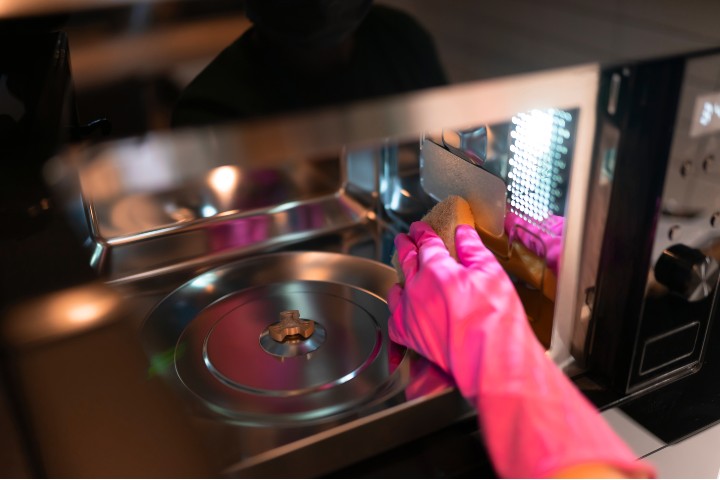
Foods with a lot of water, like vegetables, soups, pasta, and leftovers, release steam as they heat up. When the steam hits the cooler walls and door, it turns back into water droplets. With long cooking times, those droplets can collect into a small puddle. This is completely normal.
To keep it under control:
- Cover your food with a microwave-safe lid or cover that has a small vent. It keeps the steam closer to the food and cuts down on condensation.
- Leave the door open for a few minutes after cooking to let the steam escape.
- Wipe the inside dry once it has cooled.
Moisture between the door's glass panes
Sometimes you'll see fog or droplets between the glass layers of the door. This usually clears on its own if you leave the door open for 10–15 minutes so the warm, damp air can escape. If it keeps happening, or the moisture never clears, the door's inner seal may be worn. Have it checked rather than taking the door apart yourself, because the door is part of the microwave's radiation shielding.
Blocked or dirty vents
Microwaves have vents that let damp air out and keep the internal parts cool. If they're blocked by dust, grease, or things pushed up against the microwave, more moisture stays inside and the electronics run hotter. Blocked air vents are a common reason moisture builds up.
- Leave the clearance the manual recommends around the microwave, usually a few inches at the sides, back, and top.
- Unplug it, then clean the outside vents with a dry, soft brush or a vacuum attachment.
- On over-the-range models, clean or replace the grease filters underneath regularly.
- Never spray water or cleaner directly into the vents or onto the control panel. Spray it onto a cloth instead.
Steam from the stove (over-the-range models)
Over-the-range microwaves sit above your cooktop, so they get hit with steam from boiling pots. Turn on the vent fan whenever you cook on the stove, and keep its filters clean, so steam is carried away rather than condensing on the microwave.
How to Keep Your Microwave Dry and Clean
- Wipe out moisture and splatters after cooking, especially after steamy foods.
- Cover food while heating it.
- Leave the door open briefly after use to let it air out.
- Keep the vents and filters clean and unblocked.
- Clean the inside regularly to prevent mold and mildew. A bowl of water with a splash of vinegar or lemon, heated for a few minutes, loosens grime so it wipes away easily.
- Keep the microwave away from sinks, kettles, and anywhere it might get splashed.