 Ask The Home Geek
Your microwave finishes, and the beeping starts. Then it beeps again a minute later. It's natural to wonder whether opening the door mid-beep is safe, and whether there's any way to make it stop.
Here's what the beeps mean, whether you need to wait, and how to silence them.
Do You Need to Wait for the Microwave to Stop Beeping?
No. It's completely safe to open the microwave while it's still beeping. The beeps just tell you the cooking time is over. The magnetron, the part that produces the microwaves, has already switched off, and any microwave energy inside disappears in a tiny fraction of a second. Opening the door while it beeps, or even mid-cycle, poses no radiation risk on a microwave that's working properly.
The only kind of waiting that's worth doing is standing time, which helps your food finish heating evenly (more on that below).
Why It's Safe to Open the Door Right Away
A microwave cooks with microwaves, a type of non-ionizing electromagnetic radiation produced by a component called the magnetron. The microwaves bounce around the metal cavity and are absorbed by the food, making its water, fat, and sugar molecules move faster and heat up.
Several safety features keep that energy where it belongs:
- The magnetron only runs during cooking. When the timer reaches zero, it switches off, and the beeps start after that has already happened.
- Microwave energy doesn't linger. Once the magnetron stops, any remaining energy is absorbed almost instantly. It's like switching off a light: the room goes dark straight away.
- Door interlocks are several switches linked to the door latch. They cut power to the magnetron the moment the door starts to open, even mid-cycle.
- The door and its seal are designed to keep microwaves inside the oven while it's running.
In practice, the biggest risk from microwaves is burns from hot food, steam, and liquids, not radiation. The only time to worry about the door is if it's damaged, doesn't close properly, or the microwave runs with the door open. In that case, stop using it.
Why Do Microwaves Beep So Much?
Microwaves beep to give you feedback and reminders. Depending on the model, you'll hear beeps when:
- You press a button, to confirm the input
- Cooking finishes, usually a series of 3–5 beeps
- It's time to turn or stir food during some auto-cook or defrost programs
- The door isn't closed properly, or there's an error
- The power comes back after an outage, and the clock needs resetting
Why does my microwave keep beeping after it's done?
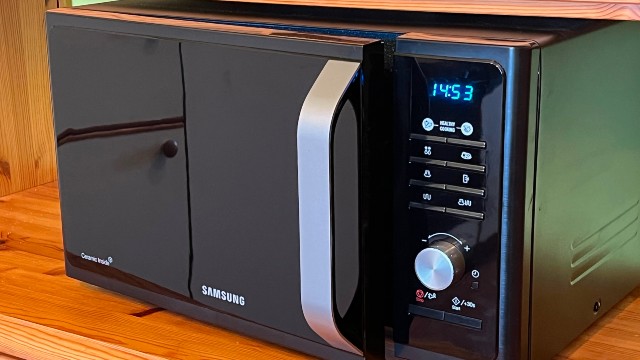
Many microwaves have an end-of-cycle reminder. If you don't open the door or press Stop/Cancel, the microwave beeps again, often once a minute or every couple of minutes, until you do. It's designed to stop you from forgetting your food.
To stop the reminder, just open the door or press Stop/Cancel (sometimes labeled Clear/Off).
The Wait That Does Matter: Standing Time
You don't need to wait for the beeps, but you should often let food stand for a minute or two before eating it. Microwaves heat unevenly, and the outer layers get hot first. Standing time lets the heat spread through the food, so:
- Cold spots warm up, which is important for food safety, especially when reheating leftovers or cooking meat, poultry, and eggs
- Hot spots cool down a little, reducing the risk of burns
Many ready-meal instructions and microwave recipes include a standing time. Follow it, stir halfway through where you can, and check that reheated food is steaming hot all the way through.
Careful with liquids: Water heated in a smooth cup can occasionally become superheated and boil up suddenly when moved. Don't overheat it, and let it stand briefly before taking it out.
How to Turn Off the Microwave Beep
Most modern microwaves let you mute the beeps, but how you do it varies by brand and model. Common methods include:
- A dedicated "Sound," "Mute," or "Settings" button on the control panel.
- Pressing and holding a number key, often 0 or 1, for a few seconds.
- Pressing and holding Stop/Cancel or another button.
- A settings menu, where you scroll to an option like "Sound" or "Beeper" and switch it off.
Watch out for the child lock. On many microwaves, holding Stop/Cancel or another key for about three seconds turns on the child lock instead of muting the sound. If the keypad suddenly stops responding and shows a lock symbol, hold the same key again for about three seconds to unlock it.
Can't find it?
- Check your owner's manual, or download it from the manufacturer's website using your model number. The label is usually inside the door frame or on the back.
- Search for your brand and model plus "mute sound". Many manufacturers and tech sites publish quick guides.
- Some older or basic models don't have a mute option at all.
If the beeping really bothers you, see our list of the best quiet microwaves. Many newer models have adjustable or mutable sounds and quieter fans.
Should You Turn the Beeps Off?
It's up to you. Muting the beeps is handy late at night, around sleeping babies, or in shared spaces. But the end-of-cycle reminder does stop you from forgetting your food, which matters with leftovers that shouldn't sit out for too long. If you tend to get distracted, you may want to keep the sound on, or switch it off only at night.
Sources: